Add a source or a destination to a topic, change what a source collects or where a topic's findings are delivered, or remove one. A few minutes.
Add one
On Sources or Destinations, find the topic. The topics you are on are listed first; every other topic is under All other topics' sources or All other topics' destinations. With more than three topics, a Find a topic field appears above the list: type part of the name.
Select Add a source or Add a destination under the topic.
Select the tool's tile, then follow the same steps as when you first connected that tool. Articles 3 to 10 in this series hold them. A tool that is already a source, or already a destination, for this topic shows Connected on its tile and cannot be added a second time: a different channel or team for the same tool is a change on its row.
For a source, when the tile shows Connected, close the dialog with the close control in its top corner.
For a destination, under Destination saved, select Test delivery, then Done. For a webhook, a signing secret is shown first and only once: copy it before you close it.
Change what is collected or where findings land
Select the row to open its options. A row that reads Login expired offers Reconnect in place of its change link: select that first, because a source or a destination can be changed only while its connection is healthy. A row that reads Can't connect offers neither until the connection is restored.
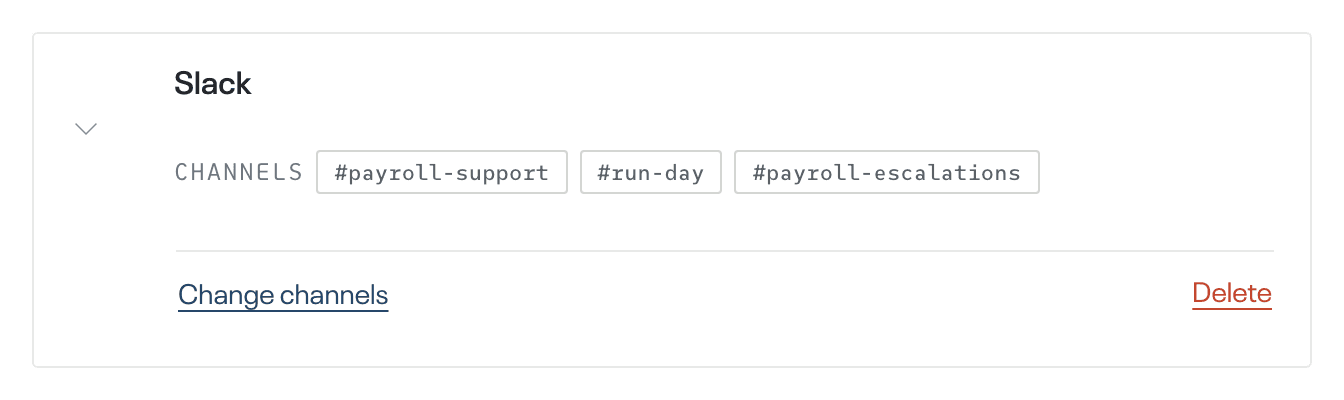
Select the row's change link: Change channels, Change teams or Change groups on a source, or Change channel, Change team, Change page or Change URL on a destination. The list or the form opens with the current choice already selected.
Select and deselect until only the channels, teams or groups you want are selected. For a webhook, type the new address, which must start with https://. A private Slack channel appears in the list only after the echoUX app has been invited to it in Slack.
Select the save button, which carries the same word: Save channels, Save teams, Save groups, Save channel, Save team, Save page or Save URL. For a Slack, Linear or Notion destination, Destination saved appears: select Test delivery, then Done. For Notion, a new database is created under the page you choose, and the database you were delivering to stays in Notion. For a webhook, the signing secret stays the same, so the service that receives the requests needs no other change.
Remove one
In the row's options, select Delete.
Confirm in the dialog that opens. It asks "Delete this source?" or "Delete this destination?". The row is removed, and nothing more is collected from that source or delivered to that destination.
Adding, changing or removing a source or destination is complete when
- on Sources, the topic lists each source with the channels, teams or groups you chose;
- on Destinations, the topic lists each destination with its channel, team, database or web address;
- a source or destination you removed no longer appears on its page.
What happens next
The next collection from a changed source uses its new selection. The echoUX app joins each public Slack channel you added. A destination you added is sent the findings of the last completed cycle, unless they had already been delivered there.