Choose the area to cover, where feedback is collected from, and where findings are delivered. About ten minutes.
Before you start
Setup cannot finish without one source and one destination. You need:
- a place where your customers' feedback is already collected, and permission to connect it: a Slack workspace where you can add apps, an Intercom or Zendesk account, or a file exported from another tool;
- a place where findings should be delivered, and permission to connect it: a Slack channel, a Notion page, a Linear team, or a webhook address.
Describe your topic
Open the link in your welcome email.
Under What area are you interested in?, describe the part of your customers' experience you want to understand, in your own words.
Select Turn this into a topic.
Name the area, not one screen or one feature. For example:
Holiday bookings on our site, from searching to changing or cancelling afterwards.
Review the topic
Under What should echoUX listen for?, review the topic drafted from what you wrote. It has four parts: What this topic covers, Examples, What to leave out and Edge cases. Edit any of them directly. What each part is for is in The four parts of a topic.
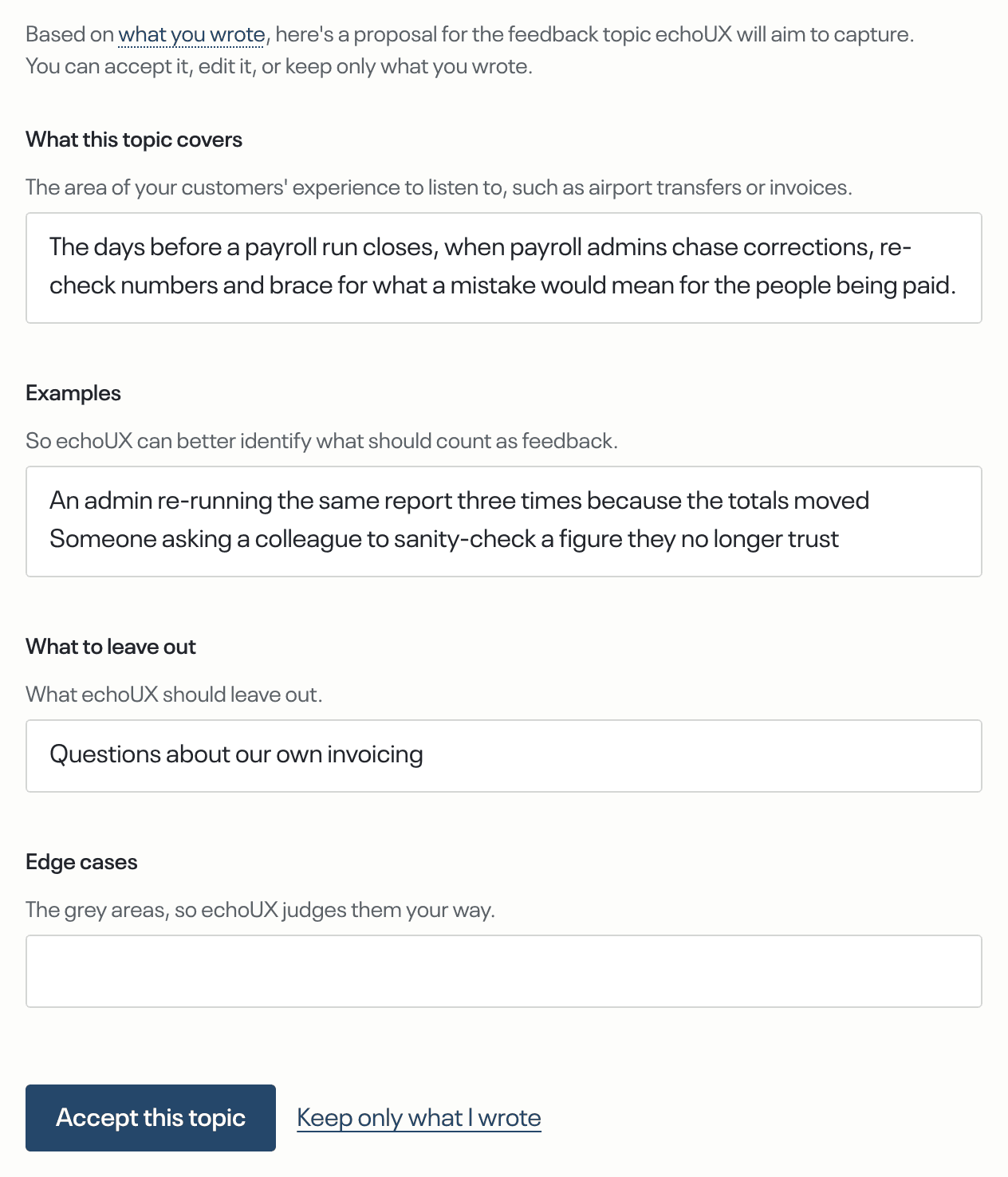
Select Accept this topic. If you changed something, you may be offered an alternative wording. To use exactly what you wrote instead, select Keep only what I wrote.
Connect a source
Under Where should echoUX collect your feedback from?, select Slack, Intercom or Zendesk, or select upload a file instead. Sign in to the tool when it asks, then choose the channels or the scope to collect from.
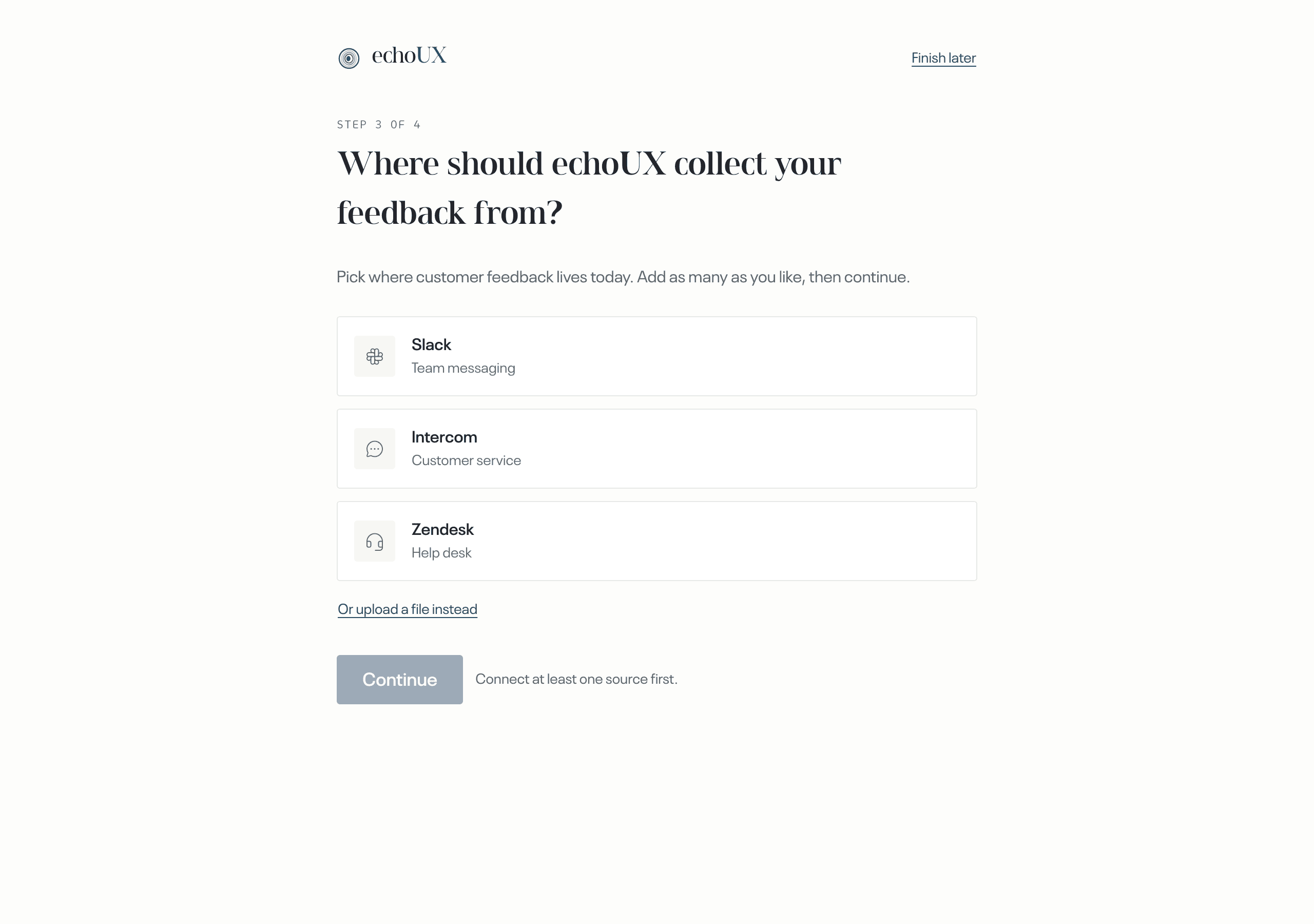
To add another source, select it on the same screen. When you have finished, select Continue.
Choose a destination
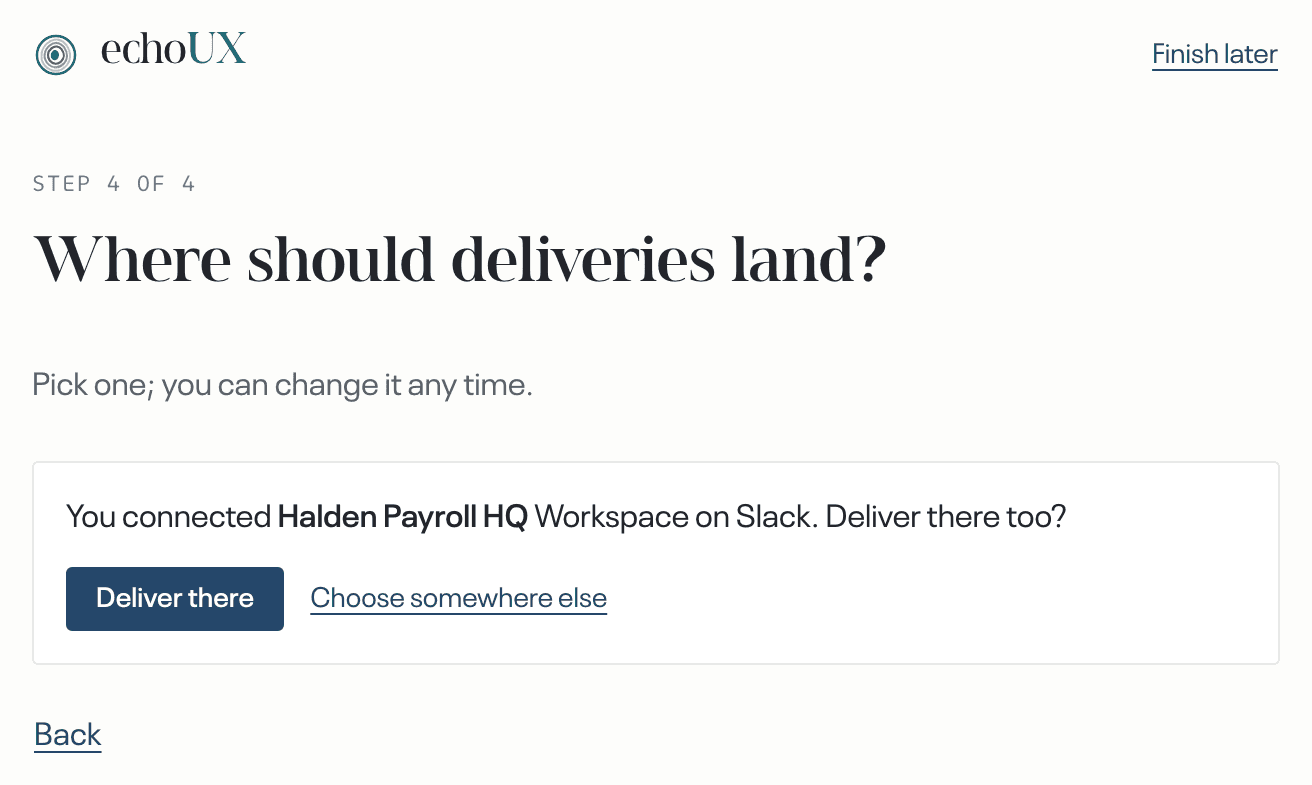
Under Where should deliveries land?, select Slack, Notion, Linear or a webhook, then the channel, page, team or address of the team that will act on the findings.
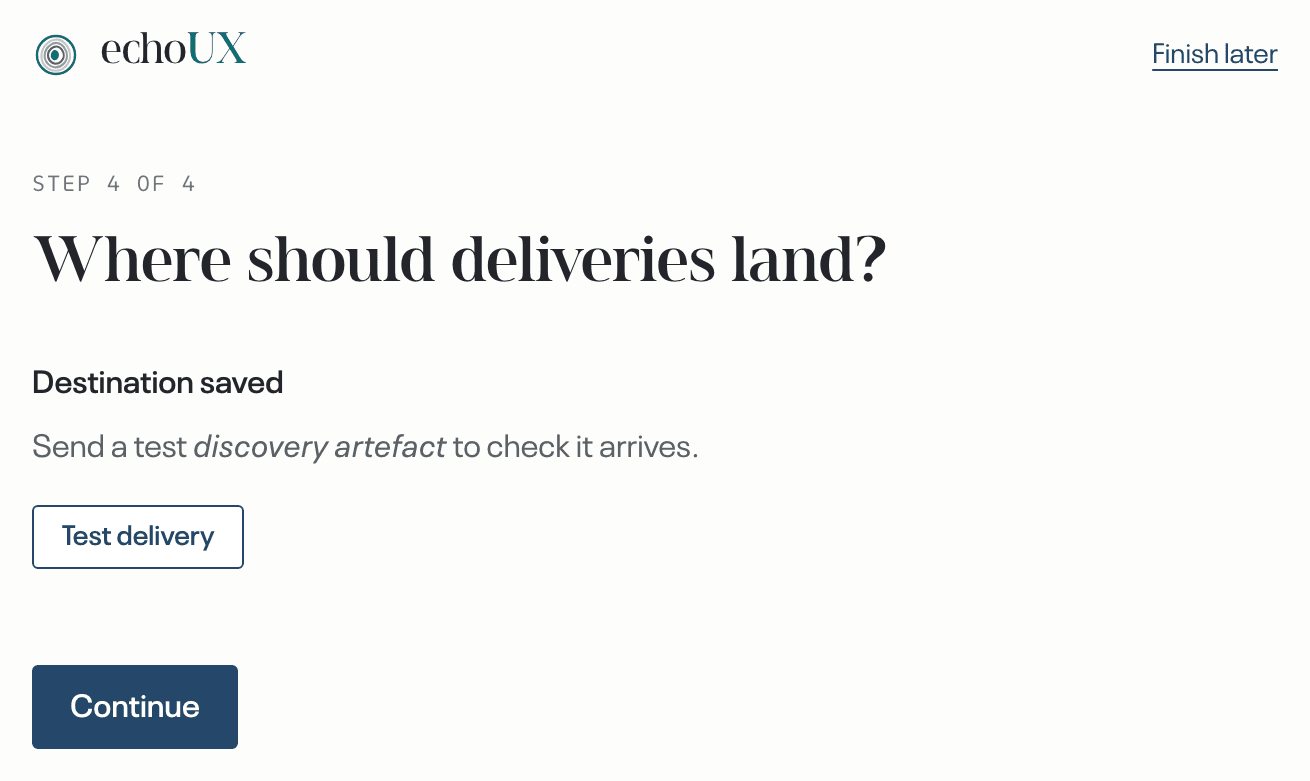
Select Test delivery, then check that the sample arrived in the tool.
Select Continue. To add another destination, select it on the same screen. When you have finished, select Finish.
Finish
If you want an email when the first finding is delivered, select Email me when the first discovery artefact lands. Then select Go to the app.
Setup is complete when
- the sample from Test delivery is in your destination;
- the Overview no longer shows Setup incomplete.
What happens next
Nothing more is needed from you. A cycle starts when about twenty pieces of feedback have arrived. The first findings usually take between several weeks and two months, depending on how much feedback arrives.