What each part of the Overview states: the condition of your account, how much of your feedback allowance is used, and which topics need your attention.
The Overview is the first page after you sign in. It states what has already happened, and it does not show a cycle in progress.
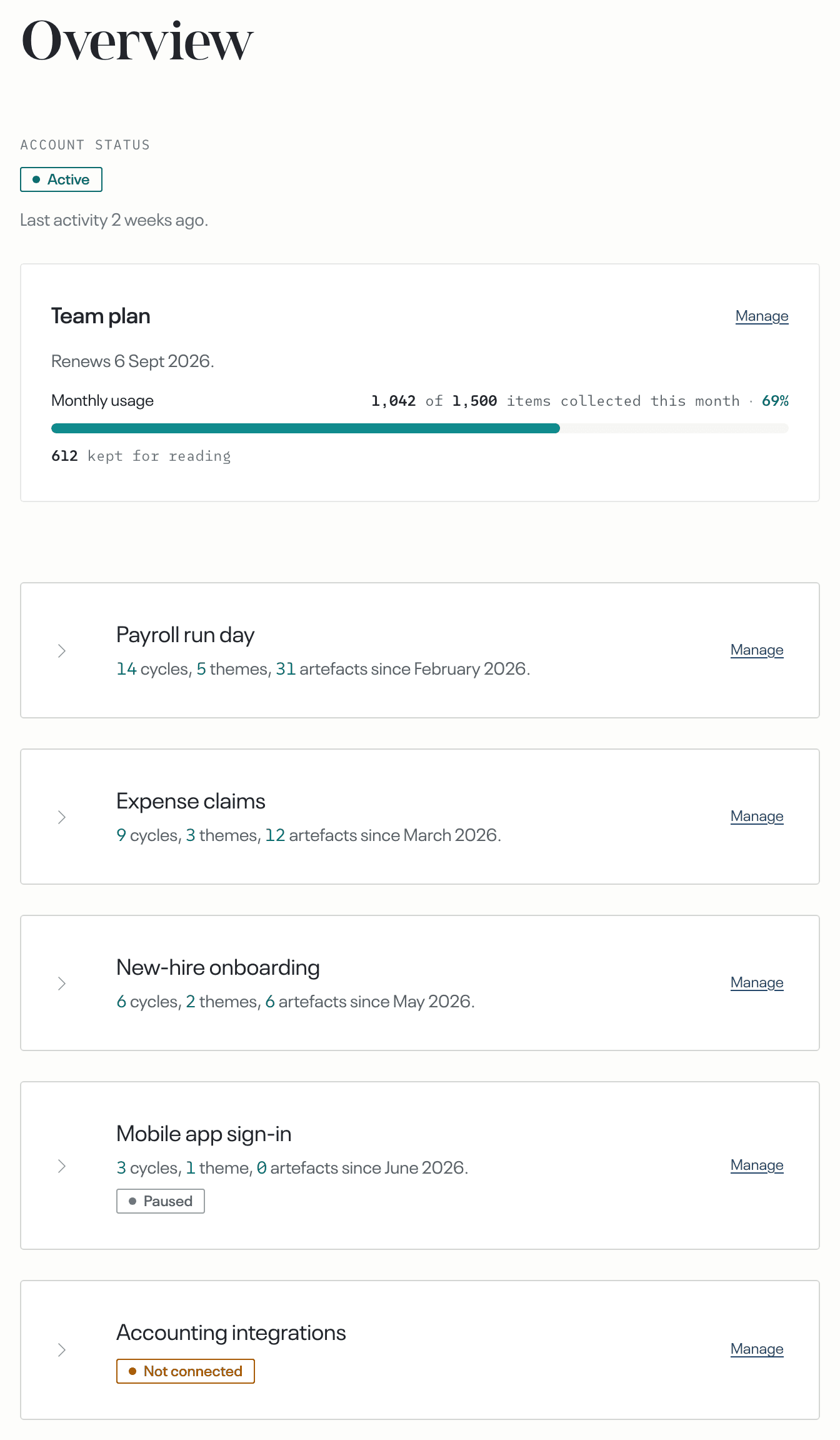
Status
Under the label Account status, one of five values states the condition of the whole account: the sources, the cycles and the destinations together.
Active: your subscription is live, at least one topic has a source, and no source or destination reports a fault.
Setup incomplete: no topic has a source yet. The Start setup button opens the flow you saw when you first signed in, at whichever step is unfinished.
Paused: the subscription is paused. The causes are a trial that ended, or a payment that failed and a grace period that then ended. Nothing is collected and no finding is delivered. The sentence that gives the reason is in the bar at the top of the page, for example Your trial has ended. Nothing is being processed.
Closed: the account has been closed. Nothing is collected and no finding is delivered, and the data is deleted on a fixed date. The bar at the top of the page names that date and carries Export your data.
Needs attention: a source or a destination cannot be reached. A login expired, deliveries have failed, or a connection failed for a reason inside echoUX. Every other source and destination continues.
The plan card
Manage, on the right of the card, opens the Plan page.
Monthly usage
Inside the plan card, a bar states how much of your feedback allowance is used.
When the allowance is used up, new feedback is not collected until more feedback volume is added, or until the next billing period begins.
Carried feedback
Under the bar, kept for reading is the number of items that reached a cycle and were kept. A piece of feedback that describes something a person experienced is kept. The rest are set aside.
Your topics
Below the plan card there is one row for each topic. When you are on some topics but not all of them, the page opens on the topics you are on, plus any topic nobody is on. Otherwise it shows every topic.
A label under the topic's name marks a row you should check. Last cycle failed means the topic's most recent cycle did not complete. Nobody on it means no person is on the topic. Paused means the topic itself is paused. Not collecting means the topic's sources are all paused, or cannot be reached. Not connected means the topic has no source.
Manage, on the right of the row, opens the topic's page.