See what your plan includes, how much feedback may be collected each month, and where your invoices and your card are kept.
Plan and Billing sit in the Account part of the navigation. Plan states what you are on and what it includes. Billing states what is due, and opens Stripe, the company that takes the payments and keeps your invoices and your card.
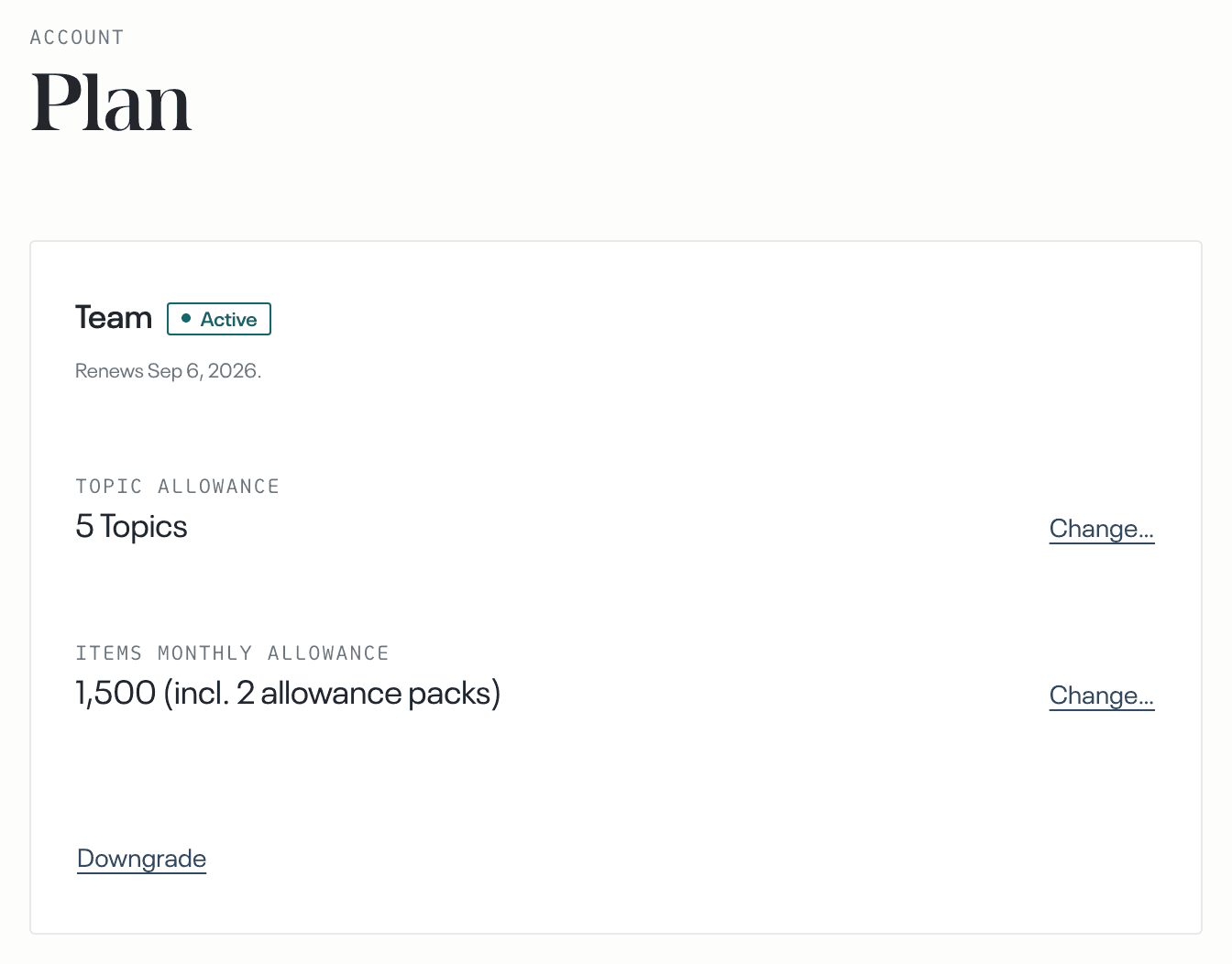
Plan carries two allowances. Topic allowance is how many topics you may hold. Items monthly allowance is how much feedback may be collected each month. An item is one piece of feedback that reaches your account, from a connected source or an imported file. It counts as soon as it arrives, whether or not it becomes part of a finding.
What a change costs each month is stated in the dialog that makes the change, before you confirm it.
Changing a plan, or changing either allowance, needs a paid subscription. During a trial both rows state what you have and carry no controls.
Who can open these pages
An admin or a manager opens Plan.
An admin opens Billing.
What you're on
At the top of Plan is the name of your plan: Starter, Team or Organisation. Beside the name, the state of the subscription is shown as Trial, Active, Payment due, Paused or Ended.
Topic allowance
Starter includes one topic. Team includes three, and more topics can be bought on Team only.
Once you are paying, select Change… beside the Topic allowance row. In the dialog you set a new number. The dialog states what the change costs each month, and states that the cost is applied to your next invoice.
Buying a topic does not create it. Create the topic yourself on the Topics page.
When the new number is lower than the number of topics you already hold, the dialog asks which of them to release. A released topic stops collecting, and you are credited for the rest of this period.
After you confirm, a line under the row reads Requested · updates when payment clears. The row keeps the old number until the payment has cleared.
Items monthly allowance
The row Items monthly allowance states how many items may be collected each month. The month here is your billing period. It runs from one renewal date to the next, not from the first of the calendar month.
When the allowance is used up, nothing new is collected. There is no charge for going over it, because nothing is collected above it. Collecting starts again when the allowance renews on your next renewal date, or when you have added more allowance and that payment has cleared.
Allowance packs are how you add more. A pack adds a fixed number of items to every month. Once you are paying, select Change… beside the row to add or remove packs.
The allowance during a trial
A trial has one allowance for its whole length, rather than one each month. Allowance packs are sold on a paid subscription only, so there is no Change… beside the allowance during a trial.
When that allowance is used up, Start monthly allowance starts your paid plan today. Collecting resumes today, you are charged the monthly amount from today, and the allowance then renews every month.
Assumption allowance
The row Assumption allowance states how many assumptions your account can track at once. Starter and Team hold one per area you have; Organisation holds a flat number regardless of area count. Once you are paying, select Change… beside the row to add or remove bought assumptions, priced per assumption per month.
This row only counts how many assumptions may be tracked at the same time, not how many claims may be checked. A tool's monthly claim checks are stated in Preferences, under AI tools, beside the Check claims switch, not here.
Changing plan
Once you are paying, Upgrade sits under the plan name on Starter. An upgrade takes effect at once. You are charged the difference for the rest of this period, then the monthly amount from your renewal date.
On Team, Downgrade sits at the foot of the card. The dialog states what ends, and asks which topics to keep. Allowance packs you have bought carry over. A downgrade takes effect on your renewal date. The topics you do not keep stop collecting then, and the feedback they collected is kept.
While a change is waiting for that date, Cancel this change takes the place of Downgrade at the foot of the card. It opens a dialog that names the plan you keep, and Confirm there is what cancels the change.
What is due, your card and your invoices
The Billing page states what is due and what it is taken from.
Your invoices are kept in Stripe, and not on this page. Select Invoices and payment details, marked via Stripe, and Stripe opens with your invoices and your card. After a failed payment the same button reads Update card details.