Find why no finding has been delivered yet, and what to do about it.
What you are looking at
You connected a source and a destination some time ago. Nothing has been delivered to the destination since.
Feedback is not read one message at a time. It is collected first, and a cycle then runs over a batch of it. When little feedback arrives each week, the first finding takes weeks rather than days. What has to be true before a finding is delivered is in What echoUX delivers, and why.
The checks
Work through the checks below. Each one names the screen it is on.
Not enough feedback yet. A cycle starts once about twenty pieces that have not been read yet have been collected for the topic. To see how many are waiting, open the topic from Topics and read the Collecting card: it states the number waiting and the number a cycle starts at. A topic that has produced nothing yet states the same number on its row on the Overview.
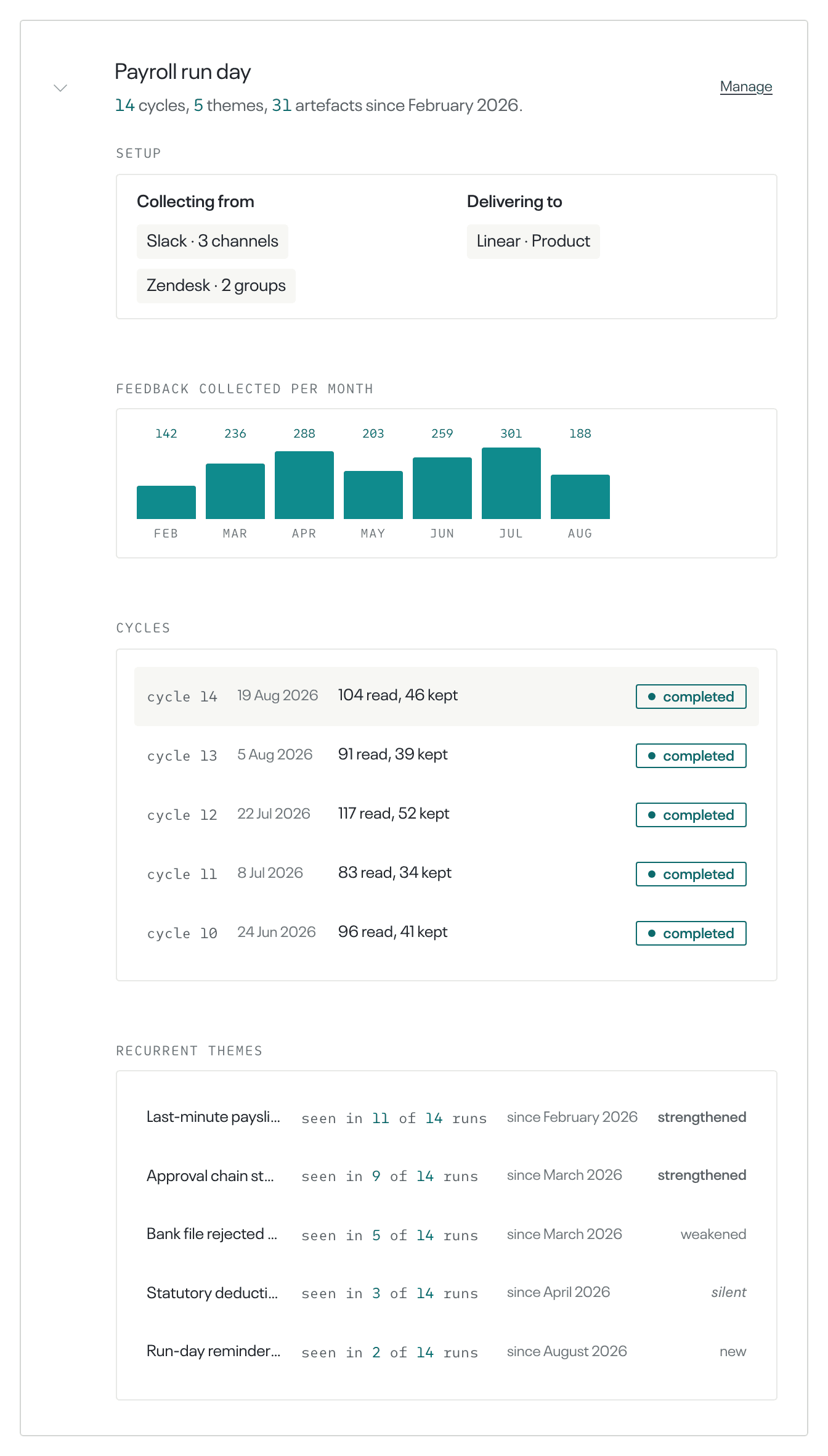
For the longer record, select the topic's row on the Overview and read Feedback collected per month. It gives the number of pieces collected in each month. It is not on the row while nothing has been collected for the topic.
To have a cycle sooner, import feedback you already hold: on Sources, select Add a source, then upload a file instead. A cycle is requested when the import finishes, whatever the number of rows. It does not run while another cycle for the topic is running, or while the topic or the account is paused. Importing is in Import feedback from a file.
No cycle has run, or a cycle kept nothing. On the same row, read Cycles. It lists this topic's cycles, with what each one read and kept, and its outcome. It is not on the row while no cycle has run.
An outcome of skipped means that cycle did not run. Completed and nothing new worth saying both mean it ran. A cycle that ran can still deliver nothing, which is ordinary at low volume.
A source is not collecting. Open Sources and read the rows under the topic. A row that is collecting carries no badge beside the tool's name. A badge names what stopped: Login expired, Can't connect, Collection failing, Paused, Paused with its topic, or Can't read with the name of one channel or group.
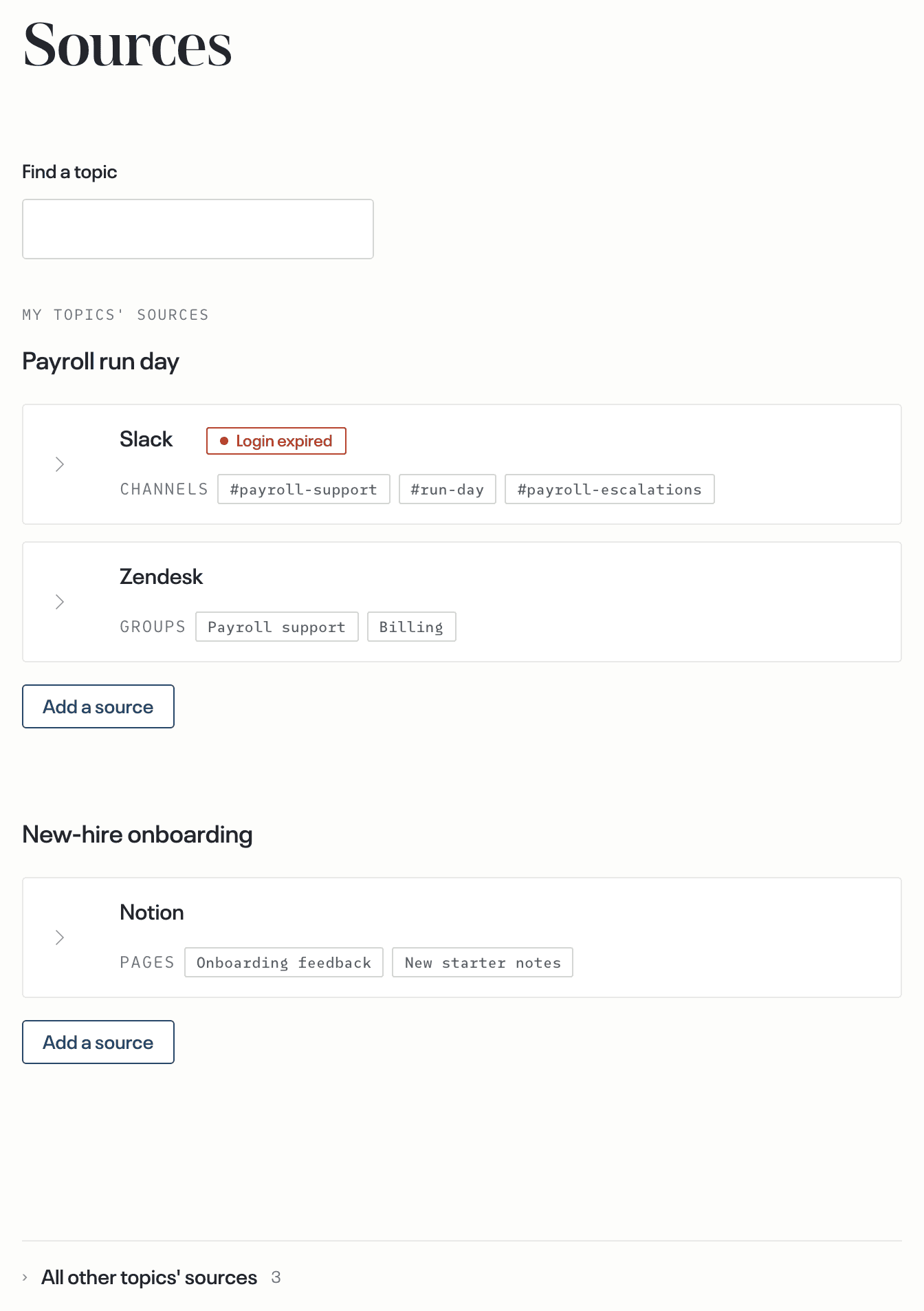
Select the row to open it. A row that reads Login expired offers Reconnect, and a row that reads Paused offers Resume collecting. A row that reads Can't connect or Collection failing states that it is being retried and needs nothing from you. Reconnecting a tool is in A tool disconnected or a login expired.
The topic is paused. On the Overview, select Manage on the topic's row to open the topic's page. The card headed Collecting reads Paused. Nothing is being collected or read for this topic, and nothing is being delivered. Select Resume collecting. The sources that the pause stopped start collecting again, and the page names any that could not. Pausing and resuming a topic is in Add a second topic, pause or archive one.
The destination is failing. Open Destinations and read the rows under the topic. Delivery failing means deliveries to this destination keep failing. Select the row, then select Test delivery.
Delivered beside the button means delivery to that destination works, and the row returns to normal on its own. Failed gives the reason under Show details, and No response within 30 s gives no reason. After you repair the reason, select Retry test delivery. A row that reads Can't connect carries no test: that fault is echoUX's own and it is repaired without you.
The account is paused. On the Overview, read the value under Account status, which is the state of the whole account. Paused means no feedback is collected or read, and nothing is delivered, for every topic. The bar at the top of the page gives the reason, for example Your trial has ended. Nothing is being processed. Each value is explained in Paused, past due, or needs attention.
The feedback allowance is used up. On the Overview, read the bar in the plan card, headed Monthly usage or Trial usage. Under a monthly allowance, You've reached this month's limit. with New feedback is paused. means nothing new is collected until the allowance resets next month.
On a trial the bar reads You've reached your trial's limit. and a trial has no reset. To collect more feedback, select Start monthly allowance. That link is shown only to a person who can change the plan. Raising the allowance is in Plan, usage and billing.
When none of these applies and nothing has arrived, open Help and send a message. Replies come by email.
The fix has worked when
- on Sources, the topic's rows carry no badge;
- on the topic's page, the card headed Collecting reads Feedback is being collected and read for this topic.;
- on the Overview, the topic's row gains a month under Feedback collected per month, and then a cycle under Cycles.
What happens next
New feedback joins the pieces waiting for the topic's next cycle. A delivered finding arrives in the topic's destination, and the artefact count on the topic's row includes it.